v1.6 Mindmap Update - Three Layout Styles, Save Notes on a Node, Color-Coded Branches
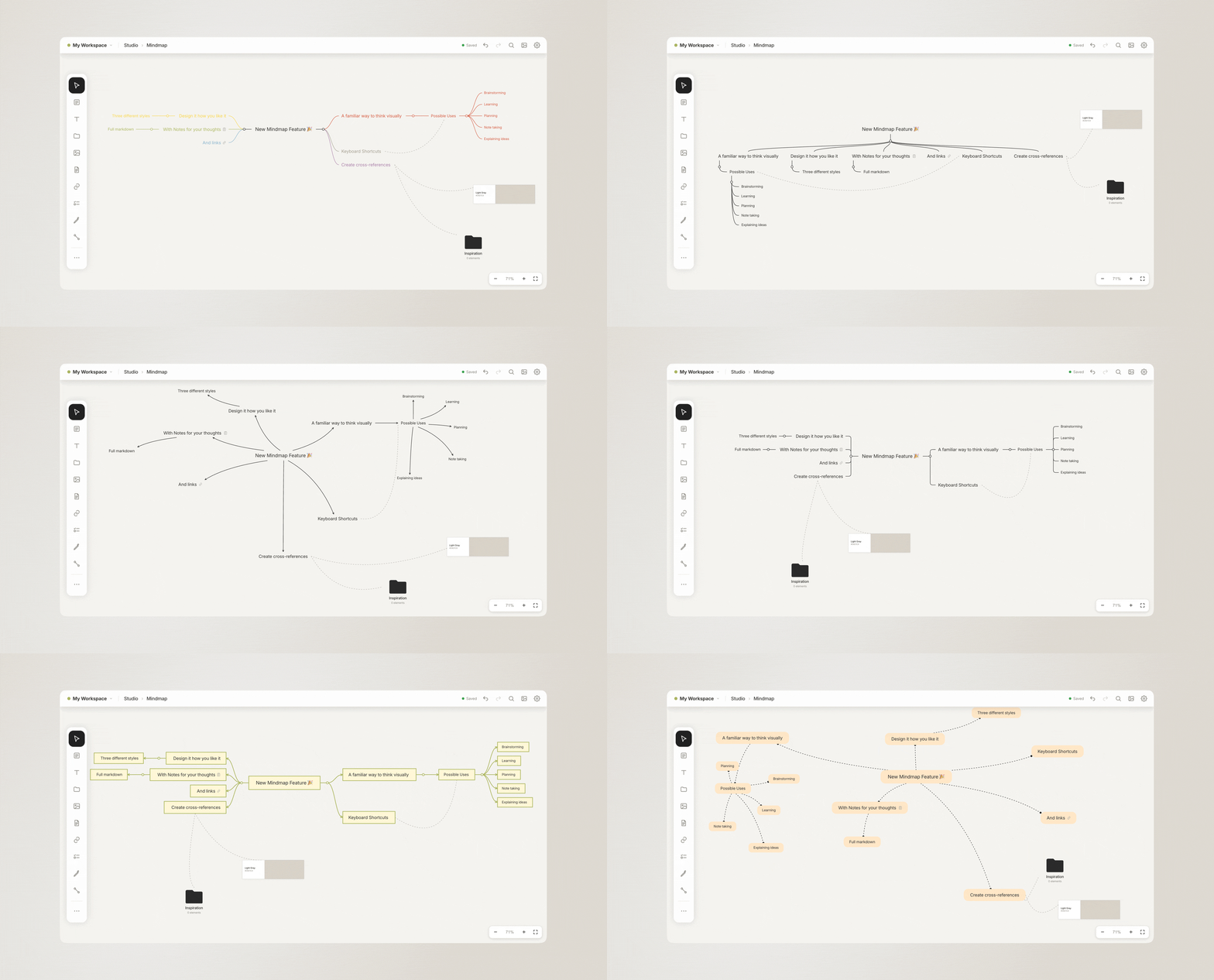
Mind mapping is an important part of our work and how we dig deep into a new topic for research. Many of you felt the same. So we wanted our mind maps to feel as free as possible but, on the other hand, as structured as necessary. With the ability to add notes to each node. Let us know what you think!
To try it out, please update to the latest version on your phone or Mac via the App Store or simply reload our browser page.
Full changelog for this release:
• New: Beautiful Mindmaps with three layouts and notes on every node
• Drag a free arrow by its line to move it
• Document preview now replicate the real rendering
• Fixed: The New Items pool no longer covers the toolbar
• Fixed: No more Image popin when switching boards
• Fixed: A single finger could zoom, or pinching stopped working, until the app was restarted
Mac app:
• Clicking into text puts the cursor right where you click – no more stray menus or selected words
Browser and Mac app:
• The mouse wheel can now zoom the board while you edit text
• Smaller fixes and improvements
If you’re missing anything, please contact us anytime.
Best,
Sarah & Gerald