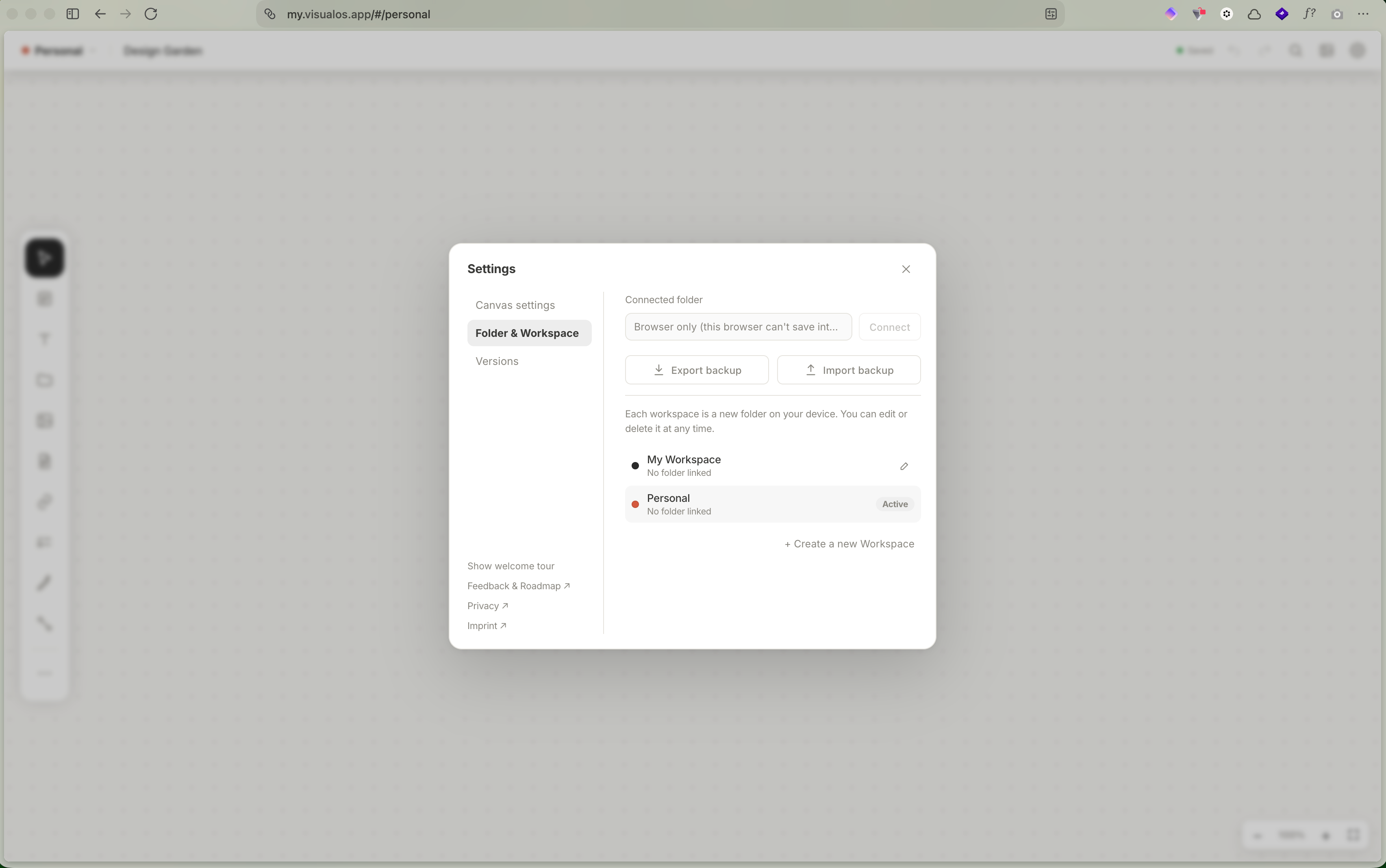
Hi Aditya, thanks for reporting this! Zen is built on Firefox, and Firefox doesn’t offer the feature that lets websites save into a folder on your computer, so the “Connect folder” button stays greyed out there, whatever the site permissions are. Your boards are still saved, inside Zen itself. To connect a folder, please open visualOS in Chrome, Edge or Brave; there it works right away. If you want to move your data as well, please click “Export Backup” and “Import Backup” in the other browser.
Aditya Pramana
•
Nov 4
Thanks for the explanation! Is there any way to see where our boards folder are saved inside Zen? I’m thinking a solution to use foldersync/syncthing to connect my board with cloud
Dorweiler & Reimertz GbR
Team•
Nov 4
Mhh, this will be tricky, to be honest, and we do not recommend it! Because you cannot control if the browser frees up space and might delete your data :/ But here you go: You can find it: in Zen, open about:support and click “Open Profile Folder”. Your boards are in storage › default › https+++my.visualos.app.
BUT! What’s in there isn’t a folder of boards, though. It’s Zen’s own internal database: Zen keeps writing to it while it’s open, and only Zen can read it. If Syncthing or FolderSync copies it in between, the copy can end up damaged, or an older state can replace your newer boards. So I wouldn’t sync that folder and would use a Chrome-based browser instead!
Log in to comment and vote
Comments3
Dorweiler & Reimertz GbR
Nov 4
Hi Aditya, thanks for reporting this! Zen is built on Firefox, and Firefox doesn’t offer the feature that lets websites save into a folder on your computer, so the “Connect folder” button stays greyed out there, whatever the site permissions are. Your boards are still saved, inside Zen itself. To connect a folder, please open visualOS in Chrome, Edge or Brave; there it works right away. If you want to move your data as well, please click “Export Backup” and “Import Backup” in the other browser.
Aditya Pramana
Nov 4
Thanks for the explanation! Is there any way to see where our boards folder are saved inside Zen? I’m thinking a solution to use foldersync/syncthing to connect my board with cloud
Dorweiler & Reimertz GbR
Nov 4
Mhh, this will be tricky, to be honest, and we do not recommend it! Because you cannot control if the browser frees up space and might delete your data :/ But here you go: You can find it: in Zen, open
about:supportand click “Open Profile Folder”. Your boards are in storage › default › https+++my.visualos.app.BUT! What’s in there isn’t a folder of boards, though. It’s Zen’s own internal database: Zen keeps writing to it while it’s open, and only Zen can read it. If Syncthing or FolderSync copies it in between, the copy can end up damaged, or an older state can replace your newer boards. So I wouldn’t sync that folder and would use a Chrome-based browser instead!